Most parents who start a side income website have about an hour on a weeknight. If that hour goes to comparing hosting plans and fiddling with menu colors, the site is still empty on Friday. The easy website setup tools for busy parents exist to remove that problem, because each one takes a specific setup job and does it for you.
This article goes through those jobs one at a time: what each involves, why it eats time, and what to use instead of doing it by hand.
Where the setup hours actually go (and why none of it earns you anything)
A new site has a long list of preparation work before it has a single page a stranger might read. None of that preparation is visible to a visitor or a search engine in a way that matters. Nobody picks one site over another because of how its server was configured.
The time goes to the same few places for almost everyone:
- Choosing a domain name, then discovering the first five choices are taken.
- Comparing hosting companies and reading plan details written for developers.
- Browsing themes, installing one, then changing your mind and starting over.
- Staring at a blank page trying to write the “About” page and the first article.
- Hunting for pictures, or trying to learn a design program to make your own.
Each of these is a decision with many options, and many options means many evenings of research. For a parent working a full-time job, that research competes directly with sleep. The fix is to reduce the number of decisions by using tools that have already made most of them.
The five jobs you can hand off instead of learning
Here are the five jobs, in the order you meet them:
- Picking and registering a domain. The address people type to reach your site.
- Getting hosting running. The service that stores your site and serves it to visitors.
- Installing a theme. The design that controls how every page looks.
- Writing the first pages. A draft of your core content that you can edit.
- Making images. Pictures for the pages and articles, without a designer.
You do not need to understand how any of these work underneath. You need to understand what each one is for, make the one decision that is really yours, and let a tool handle the rest. The sections below cover that decision for each job.
Domain and hosting: getting a live site without touching a server
Domain and hosting are the two jobs that sound the most technical, and they are the easiest to hand off. A domain is a name you register. Hosting is the computer that keeps your site online around the clock. In a traditional setup you buy them separately, connect them with settings you copy from one dashboard into another, and wait for the connection to take effect.
A platform that bundles site creation with hosting skips most of that. You choose a name, the platform sets up the site, and the site is live at an address you can open in a browser. You never log into a server, edit a configuration file, or work out what a DNS record is.
The one decision that is yours is the name. A few guidelines make it quick:
- Pick a name that says what the site is about, so a visitor understands it at a glance.
- Keep it short enough to say out loud to someone.
- Avoid hyphens and unusual spellings, since people will mistype them.
- Give yourself ten minutes. A good-enough name now beats a perfect name next month.
If you run into a taken name, move on to the next idea instead of searching for workarounds. The name matters far less than the content you will publish under it.
Theme and layout: starting from a finished design instead of a blank page
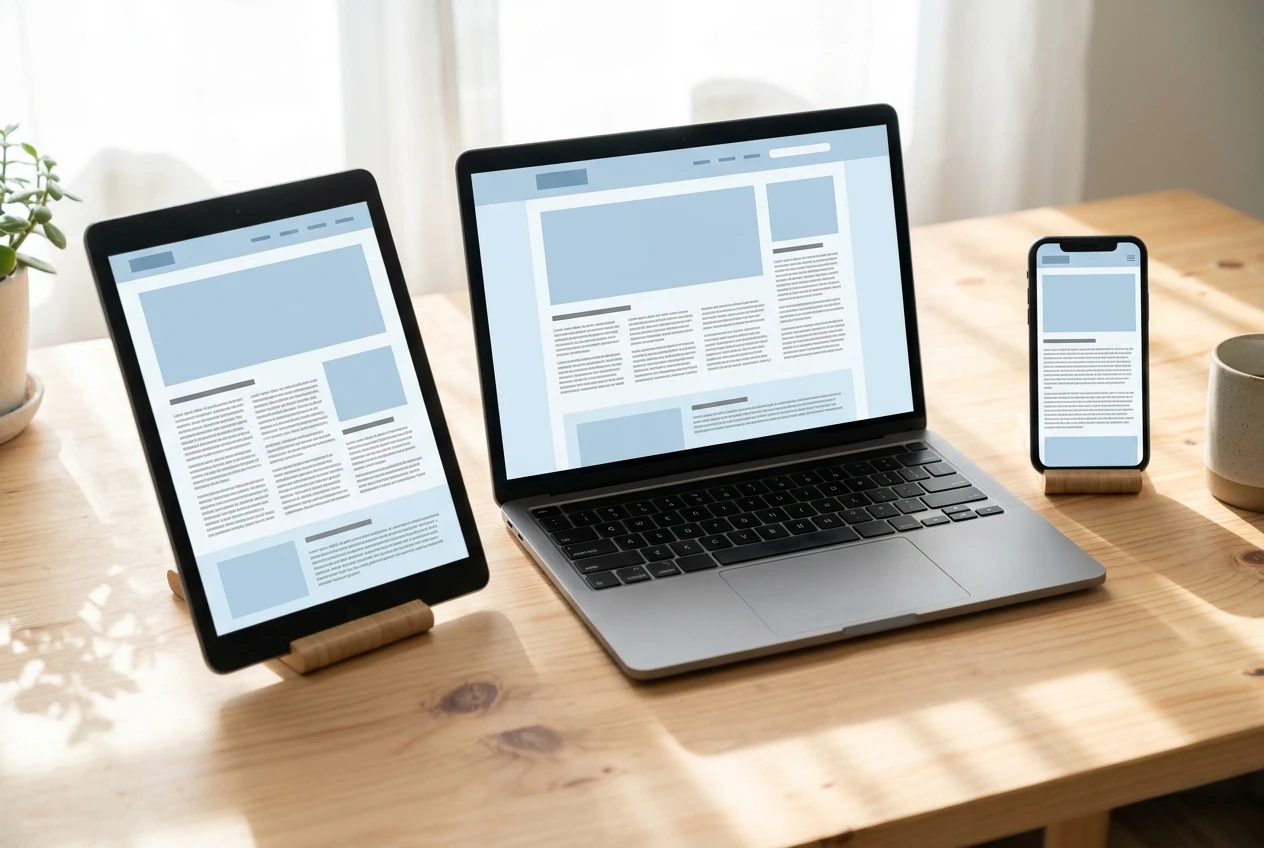
A theme is the ready-made design for your site: fonts, colors, the header, the menu, and how articles are laid out. A blank site with no theme looks unfinished, and building a design from nothing is a skill that takes a long time to learn. Starting from a finished theme means the design work is already done.
When you choose one, look for these things:
- A clean, readable layout. Visitors read articles, so body text should be easy on the eyes on a phone as well as a laptop.
- Few moving parts. A theme with dozens of options is dozens of decisions. Pick something plain.
- A look that suits your subject. A site for busy parents does not need a flashy design. It needs to feel trustworthy and easy to read.
Install it, set your site name, add a simple menu with a few items, and stop. The common mistake is to keep adjusting the theme because it feels like progress. Changing a button color does not bring in a reader. You can come back to the design later, once the site has content worth styling.
Your first pages: using a writing assistant to get a draft you can edit in one sitting
Writing is where a blank page is most intimidating, and where a writing assistant saves the most time. Inside Wealthy Affiliate, the Writer is the Agent that produces a full article draft from a topic and an outline. Instead of facing an empty document, you start with a complete draft and edit it.
Editing is a much shorter job than drafting. You read through, fix anything that does not sound like you, check that the facts are right, and cut what does not belong. A draft you can finish in one sitting means a page published in an evening instead of a page half written for a week.
A sensible set of first pages for a new site looks like this:
- An About page. Who the site is for and what it covers. Write the parts about your own life yourself, because only you know them, and keep them short and true.
- Three to five core articles. Each one should answer a single question your reader is likely to type into a search box.
- A page that explains the main thing you recommend. Say plainly what it is, who it suits, and who it does not.
Give the assistant a clear topic and a clear reader, since specific input produces a more useful draft. Then edit with the reader in mind. If a sentence would not help a tired parent who is reading on a phone, cut it.
If you want to understand the money side before choosing topics, the post on how affiliate marketing actually works explains it for someone with no technical background.
Images without a designer or a design program
Every article looks better with images, and most beginners lose a surprising amount of time on them. They search stock sites, worry about licensing, or open a design program with a hundred buttons and no idea where to start.
An image tool built into your workflow removes that. In Wealthy Affiliate, the Artist is the Agent that makes images for your articles. You describe what the picture should show, and it produces one you can add to the page. There is no software to learn and no license to check.
A few habits keep the images useful:
- Describe the scene plainly. Say what should be in the picture and what mood it should have.
- Put one image near the top of each article. It tells the reader the page is finished and cared for.
- Add a second image only if it clarifies something. Decoration for its own sake slows the page down.
- Write a short description for each image. It helps visitors who cannot see it and helps search engines understand the page.
Spend a few minutes on images per article and move on. Their job is to support the writing, not to be the main attraction.
What to keep doing yourself, and how to spend the hours you just saved
Handing off setup does not mean handing off the site. Some jobs only you can do, and they are the ones that decide whether the site earns anything.
Keep these for yourself:
- Choosing topics. You know who you are writing for. Pick questions that reader actually asks.
- Editing every draft. Tools produce a starting point. Your edit makes it accurate and gives it your voice.
- Telling the truth about what you recommend. Your readers will trust you for as long as you say only what is true, and nothing in a draft should claim more than you can stand behind.
- Showing up on a schedule. A site grows from many small publishing sessions, not one big one.
Once setup is handled, a weeknight hour can go almost entirely to content: one article drafted, edited, given an image, and published. If you want a night-by-night version of how to divide that hour, the post on what to do in your 60 minutes after the kids are in bed lays it out.
A schedule you can keep matters more than a schedule that looks ambitious. If a week gets away from you because of a sick kid or a long shift, pick up with the next article instead of trying to make up the missed ones. A site with a steady trickle of articles over months will outperform one with a burst of activity that stops.
Try the setup yourself
If you want to see these tools working together in one place, take a look at how Wealthy Affiliate sets them up, and start with the free starter account so you can try the setup yourself before spending anything.
Leave a Reply